

Temporary locks, holds and appeals
Sagar Club Account Locked
Most Sagar Club locks are short and automatic. Here’s how to tell what kind you have, how long it lasts and how to get back in.
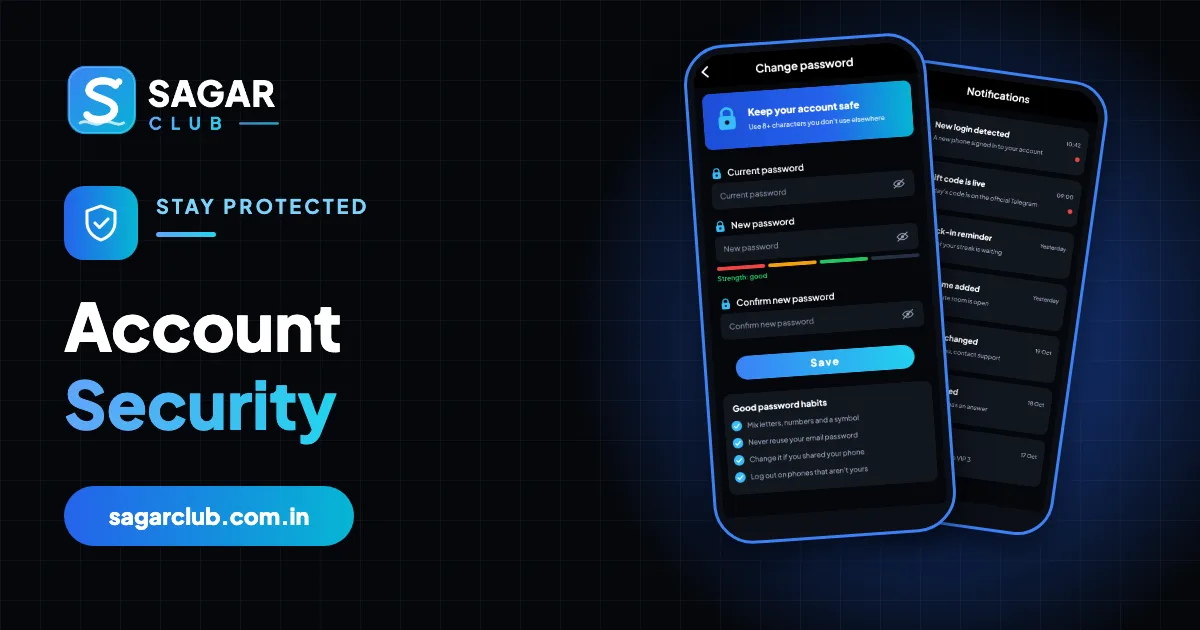
Seeing ‘account locked’ or ‘restricted’ is alarming, but most of the time it’s a safety feature doing its job. Several wrong passwords, a burst of OTP requests or a login from an unusual device can all trigger a short pause designed to stop someone else getting in. Those pauses lift on their own.
A smaller number of restrictions need a human to review them. This page helps you tell the difference, explains what support will need from you, and lists the habits that keep locks away.
Contents
- Three kinds of restriction
- Temporary lock after wrong passwords
- Security hold
- Rules review
- How to appeal
- What support may ask
- Avoiding locks
- If you think someone else caused the lock
- A lock, walked through
- How locks protect you
- If your account was restricted for a rules review
- While you wait
- Locked out and no SIM
- FAQs
Three kinds of restriction
| Type | Usual trigger | How long | What to do |
|---|---|---|---|
| Temporary lock | Several wrong passwords | 15–30 minutes | Wait; then reset password |
| Security hold | Unusual device, many OTP requests, rapid resets | Until you’re verified | Contact support |
| Rules review | Multiple accounts, abuse, automation | Under review | Appeal through support |
Temporary lock after wrong passwords
This is by far the most common. After several failed passwords in a row, the account stops accepting attempts for a while. Every attempt during the lock can reset the timer, so the worst thing to do is keep trying. Put the phone down, wait half an hour, and then use forgot password instead of guessing.
Security hold
A security hold kicks in when something looks unlike you: a login from a new phone right after a password reset, a run of OTP requests, or several devices in quick succession. It protects the account until you confirm it’s really you. Support will usually ask for your registered number, UID and some details about recent activity.
Rules review
Accounts can be reviewed if the system detects things against the rules – one person running several accounts, shared accounts, scripts or auto-clickers, or exploiting a bug. If you think a review is a mistake, explain calmly through support. Creating a new account while one is under review makes things slower, not faster.
How to appeal
- Open the app and go to Customer service (it’s available from the login screen too).
- Choose the account or login category.
- Give your registered number and UID.
- Describe what happened in two or three sentences.
- Attach a screenshot of the message.
- Wait for a reply – one ticket is enough.
A clear, polite, specific message is processed faster than several angry ones. More on contacting help: customer support.
What support may ask
| Detail | When |
|---|---|
| Registered number | Always |
| UID | Usually – speeds things up |
| Last successful login time | To confirm it’s you |
| Device model | To match sessions |
| Recent changes | Password or number changes |
Support will never ask for your password or OTP. If someone claiming to be support does, it’s a scam.
Avoiding locks
- Reset after two failed attempts instead of guessing.
- Use a password manager so typos don’t happen.
- Don’t request codes repeatedly – wait for the timer.
- Keep one account per person.
- Don’t use scripts, auto-clickers or ‘mods’.
If you think someone else caused the lock
Wrong-password locks you didn’t trigger mean someone is trying your number. They can’t get in without your password, and they can’t reset it without your SIM. Change your password once the lock lifts, switch on login alerts, and never share codes. See account security.
A lock, walked through
It’s late, you’re tired, and your password doesn’t work. You try it three, four, five times with small variations. Then the message changes: too many attempts, try again later. This is the most common Sagar Club lock there is, and it’s entirely automatic. Nothing has happened to your account; the system simply stopped accepting guesses.
The right move is to put the phone down. Every attempt during the lock can push the timer back. After half an hour, don’t guess again – open Forgot password, set a new one with the SMS code, and log in. Then save the new password somewhere you’ll find it. Next time, you’ll reset after two tries instead of five.
How locks protect you
Locks exist because passwords can be guessed. Without a limit, someone with your number could try thousands of common passwords until one worked. A short lock after a handful of failures makes that impossible. The cost is that a forgetful owner sometimes gets locked out too – which is why the fix is always to reset rather than to keep trying.
If your account was restricted for a rules review
Reviews are less common and are triggered by patterns that suggest rules are being broken: several accounts on one device, accounts sharing the same details, automated tapping, or exploiting a bug. If you believe the restriction is a mistake – for example, two family members legitimately play on one shared tablet – explain that clearly to support. Honest, specific explanations are reviewed faster.
| Situation | What to tell support |
|---|---|
| Several family members on one device | Explain; each should have their own account and number |
| You used an auto-clicker | Stop using it; say so honestly |
| You opened a second account by mistake | Say which account you want to keep |
| You don’t know why | Ask support what triggered it |
While you wait
- Don’t open new accounts – it slows the review.
- Don’t send multiple tickets – one is enough.
- Check the official Telegram for maintenance notices that might explain errors.
- Keep your phone and SIM safe – support may send verification codes.
Locked out and no SIM
If you’re locked out and you’ve lost the SIM, the path is: get a replacement SIM from your operator (same number), wait for any lock to expire, then reset your password. If the number can’t be recovered, see new phone number.
Open Sagar Club the right way
Use the official app or website – one Sagar Club account works for login on every device.
Frequently asked questions
How long is a Sagar Club account lock?
Usually 15–30 minutes for password locks.
Should I make a new account?
No – it slows down any review.
Will support unlock it instantly?
Security holds need verification first.
Why was I locked if I didn’t do anything?
Someone may have been guessing your password. Change it once you’re back in.
Can I speed up a temporary lock?
No – waiting is the only way; extra attempts make it longer.
Will a lock affect my VIP or history?
No.