

Colour prediction, explained
Sagar Club WinGo
WinGo is Sagar Club’s colour prediction game. Each round draws a number from 0 to 9 – and that number decides the colour and size.
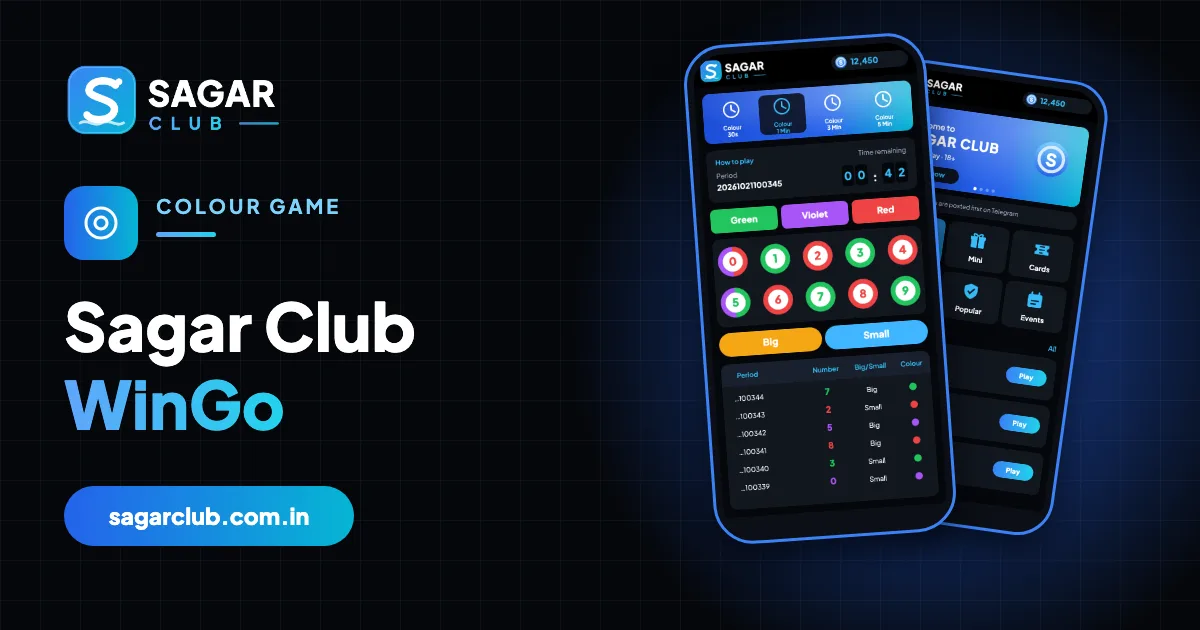
WinGo is the most played game in the Sagar Club lobby and the easiest to learn. Every round draws a single number from 0 to 9. That number has a colour – green, red, and sometimes violet – and a size, Big or Small. Rooms run on timers from 30 seconds to 5 minutes.
This guide covers the screen, the rules, the rooms, how to read the history and the beginner mistakes worth avoiding. For a printable chart, see the colour and number chart.
Contents
- The WinGo screen
- The rules in one table
- The four rooms
- A round, start to finish
- Reading the history
- Beginner mistakes
- WinGo vs TRX WinGo
- A 3-minute round, in slow motion
- Picking well (in the sense of understanding, not winning)
- Why the 30-second room is harder
- Accessibility on the WinGo screen
- WinGo glossary
- FAQs
The WinGo screen
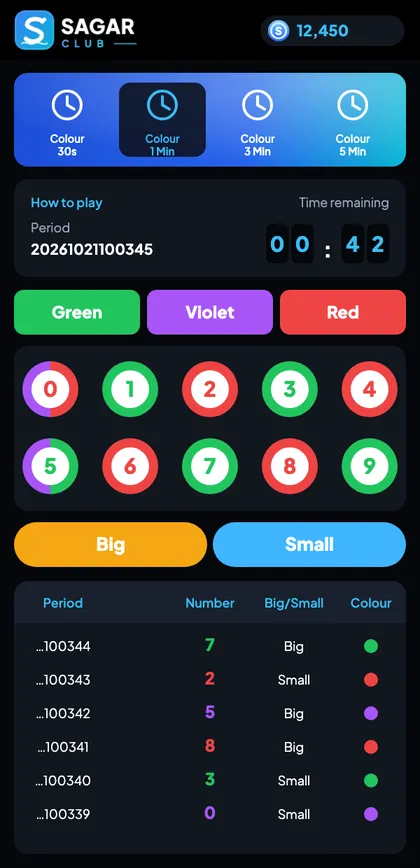
| Part | Meaning |
|---|---|
| Room tabs | 30 s, 1, 3, 5 Min |
| Period | Round ID – date + counter |
| Timer | Counts down; picks lock in the last seconds |
| Colour buttons | Green, Violet, Red |
| Number balls | 0 to 9, each in its colour |
| Big / Small | 5–9 Big, 0–4 Small |
| History | Recent results, newest first |
The rules in one table
| Number | Colour | Size |
|---|---|---|
| 0 | Red + Violet | Small |
| 1 | Green | Small |
| 2 | Red | Small |
| 3 | Green | Small |
| 4 | Red | Small |
| 5 | Green + Violet | Big |
| 6 | Red | Big |
| 7 | Green | Big |
| 8 | Red | Big |
| 9 | Green | Big |
Memory trick: odd is green, even is red, 0 and 5 add violet, 5 and up is Big.
The four rooms
| Room | Pace | Best for |
|---|---|---|
| 30 seconds | 120 rounds an hour | Experienced players only |
| 1 minute | 60 an hour | Quick sessions |
| 3 minutes | 20 an hour | Learning – recommended |
| 5 minutes | 12 an hour | Calm, slow play |
The odds in each round are the same in every room. Only the speed changes.
A round, start to finish
- A new period begins and the timer starts.
- You choose a colour, number or Big/Small – or simply watch.
- A few seconds before zero, picks lock and the timer turns red.
- At zero, a number is drawn.
- The result joins the top of the history list and a new period begins.
Reading the history
Each history row shows the period, the number in its colour, Big or Small, and a colour dot (split for 0 and 5). The trend tab shows the same data as a grid. Use it to learn the chart and to check rounds you played – not to predict the next one. More: results history.
Runs happen naturally. Five reds in a row doesn’t make green more likely next time. No app or group can predict WinGo results.
Beginner mistakes
Starting in 30 seconds
Too fast to learn. Use the 3-minute room.
Last-second picks
They don’t count once picks lock.
Room hopping
Stay in one room to follow its history.
Believing tip groups
They’re guessing – or scamming.
No time limit
Set one before you start.
WinGo vs TRX WinGo
Same chart, same rules. TRX WinGo takes its number from a public TRON block hash, so you can verify results yourself. See TRX WinGo.
A 3-minute round, in slow motion
At 3:00 a new period appears – say 20261021100345 – and the history list shows the last result at the top: 7, green, Big. You have nearly three minutes. You read the chart, glance at the last few rounds, and decide whether to take part. Around the five-second mark the timer turns red and picks lock. At zero, a number appears – 4, red, Small – and slides into the top of the history list. The period number ticks up by one and the timer jumps back to 3:00.
Nothing about the 4 was caused by the 7 before it, and nothing about the next number will be caused by the 4. That’s the single most important thing to understand about WinGo.
Picking well (in the sense of understanding, not winning)
| Option | Coverage | How often it matches |
|---|---|---|
| Big / Small | Covers 5 numbers | Matches about half the time |
| Green / Red | Covers 5 numbers each (0 and 5 shared with violet) | About half |
| Violet | Covers 2 numbers | About one in five |
| Single number | Covers 1 number | About one in ten |
Knowing these proportions stops you being surprised by normal results, and stops you believing runs mean anything.
Why the 30-second room is harder
In the 30-second room you have about 25 seconds to read the screen, decide and confirm before the lock. That leaves no time to check the chart or think. It also means 120 rounds an hour, which makes sessions disappear quickly. If you use it at all, use it only once you know the screen by heart – and keep your time limit.
Accessibility on the WinGo screen
If you have trouble telling red from green, rely on the numbers rather than colours: odd numbers are green, even are red, 0 and 5 also violet. The history list shows Big/Small in words, which helps too.
WinGo glossary
| Word | Meaning |
|---|---|
| Period | Round ID |
| Lock | The moment picks close, just before zero |
| Violet | Third colour on 0 and 5 |
| Trend | Grid view of results |
| Room | WinGo version with a fixed timer |
Open Sagar Club the right way
Use the official app or website – one Sagar Club account works for login on every device.
Frequently asked questions
Which numbers are violet in WinGo?
0 and 5.
Is 5 Big or Small?
Big.
Is 0 green?
No – 0 is red and violet.
What’s the best room for beginners?
3 minutes.
Can WinGo results be predicted?
No.
Why didn’t my last-second pick count?
Picks lock a few seconds before zero.
Do all rooms have the same odds?
Yes – only the speed differs.