

Live chat inside the app
Sagar Club Customer Support
Sagar Club support is inside the app. Here’s how to reach it, what to send, and how to avoid fake ‘support’ accounts.
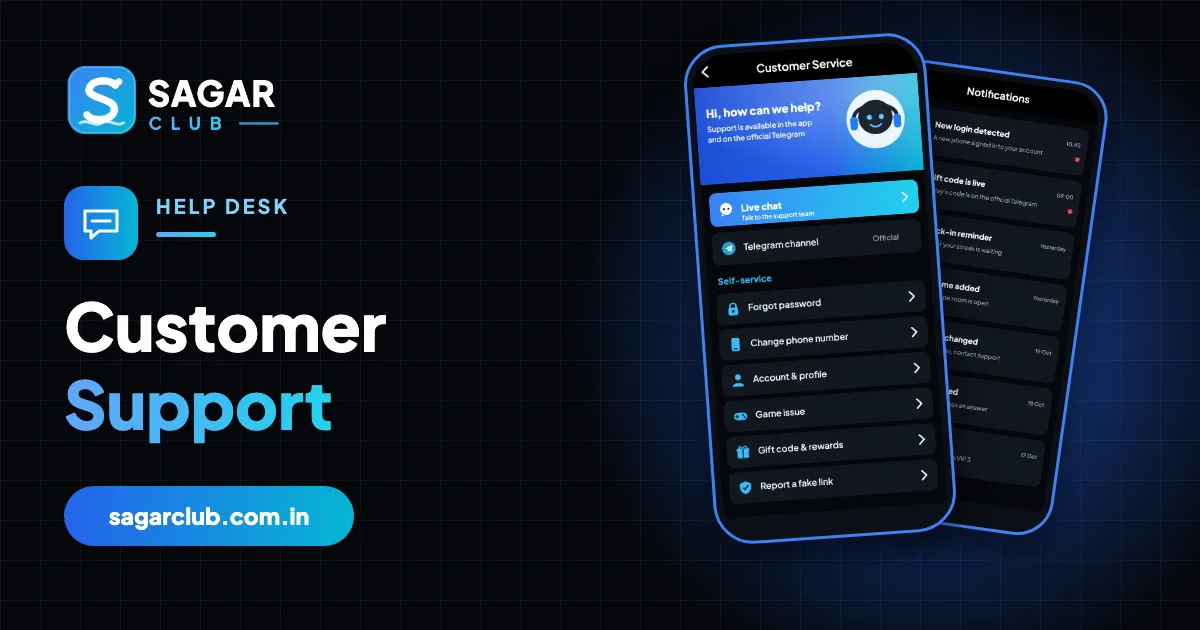
Sagar Club customer support handles login problems, number changes, account holds and game questions. The fastest route is the live chat in the app – it’s available from the Account page and from the login screen.
Many problems can be fixed instantly with self-service; this page shows which ones, and how to write a message that gets a quick answer for the rest.
Contents
- Ways to get help
- Try self-service first
- Writing a message that gets answered fast
- Typical reply times
- Fake support
- What support handles
- Before you message
- After you message
- If support says it can’t help
- Support glossary
- Support and this website
- Real questions about support
- Message templates
- Support mistakes and better habits
- When support is busy
- FAQs
Ways to get help
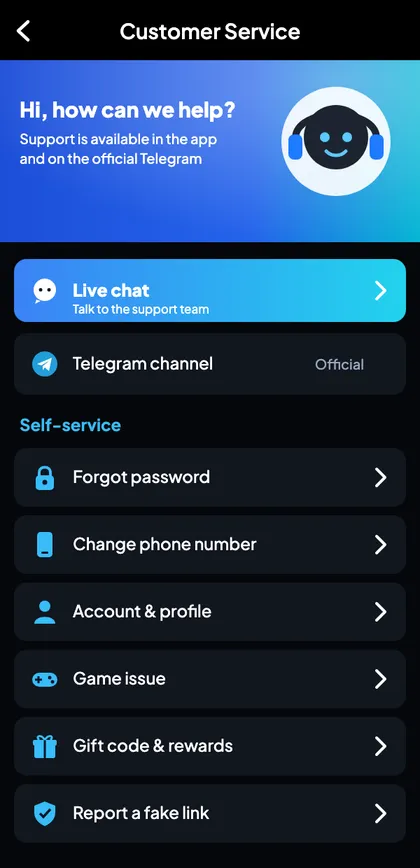
| Channel | Where | Best for |
|---|---|---|
| Live chat | Account → Customer service | Most problems |
| Self-service | Forgot password, change number | Instant fixes |
| Official Telegram | Announcements | Maintenance and news |
Try self-service first

Forgot password
Reset by SMS

OTP problems
Ordered fixes

Login errors
Every message

New number
Move account
Writing a message that gets answered fast
- Your registered number (last four digits to start).
- Your UID.
- The exact error text or a screenshot.
- When it started.
- What you’ve already tried.
Example: “UID 48219037, number ending 4210. Since 10:30 today I see ‘Too many attempts’ at login on Android. I waited 30 minutes and tried forgot password but no SMS arrives. Screenshot attached.”
Typical reply times
| Channel | Typical reply |
|---|---|
| Live chat | Minutes during the day |
| Follow-up tickets | Usually within a day |
| Number changes / verification | One to two days |
Fake support
Real support never asks for your password or OTP, never asks you to install a screen-sharing app, and never messages you first on WhatsApp, Instagram or Telegram.
What support handles
| Topic | Support helps? |
|---|---|
| Login and password problems | Yes |
| Number changes | Yes, with verification |
| Locked or restricted accounts | Yes |
| Game questions and bugs | Yes |
| Account deletion | Yes |
| Predictions or ‘tips’ | No – and nobody can provide them |
Before you message
- Try the matching self-service page.
- Note the exact error text.
- Find your UID.
- Take a screenshot (crop out your full number).
- Write two or three clear sentences.
After you message
- Send one ticket, not several.
- Keep the app updated.
- Watch for replies in the app’s message centre.
- Never share your password or OTP, even if asked in the chat.
If support says it can’t help
Some requests – for example, telling you a password or changing results – aren’t possible for anyone. If you’re unhappy with an answer on something support can do, reply politely with more detail; clear information often changes the outcome.
Support glossary
| Word | Meaning |
|---|---|
| Ticket | A support conversation |
| UID | Your account number |
| Verification | Steps to confirm it’s you |
| Self-service | Fixes you can do without support |
Support and this website
This site is an independent guide; we can’t see or change any account. For anything account-related, use the in-app support. For mistakes on our pages, use our contact page.
Real questions about support
“Support hasn’t replied yet.”
Check the in-app message centre; replies can take longer at night or during busy times.
“Can I call support?”
Use the in-app chat. Be wary of phone numbers found online.
“Support asked for my OTP.”
That isn’t genuine support. Don’t share it.
“Can support see my password?”
No – nobody can.
Message templates
| Topic | Include |
|---|---|
| Login problem | UID, exact error, device, when it started, what you tried |
| Number change | UID, old number, new number, reason |
| Locked account | UID, the message, recent activity |
| Game question | Game, room, period number, screenshot |
Support mistakes and better habits
| Mistake | Better habit |
|---|---|
| Sending several tickets | One clear ticket |
| Leaving out the UID | Always include it |
| Sharing OTP in chat | Never |
| Contacting ‘support’ found on social media | Use the in-app chat only |
When support is busy
Right after updates, outages or big events, support can be busy. Check the notice line and official channel for known issues before messaging – your problem may already be explained, with a fix.
Open Sagar Club the right way
Use the official app or website – one Sagar Club account works for login on every device.
Frequently asked questions
How do I contact Sagar Club support?
Through the live chat in the app.
Will support ask for my OTP?
Never.
Is support available at night?
Replies may be slower late at night.