

Lock down your login
Sagar Club Account Security
Almost every Sagar Club account takeover comes from a shared OTP, a fake link or a reused password. Close those three doors and you’re safe.
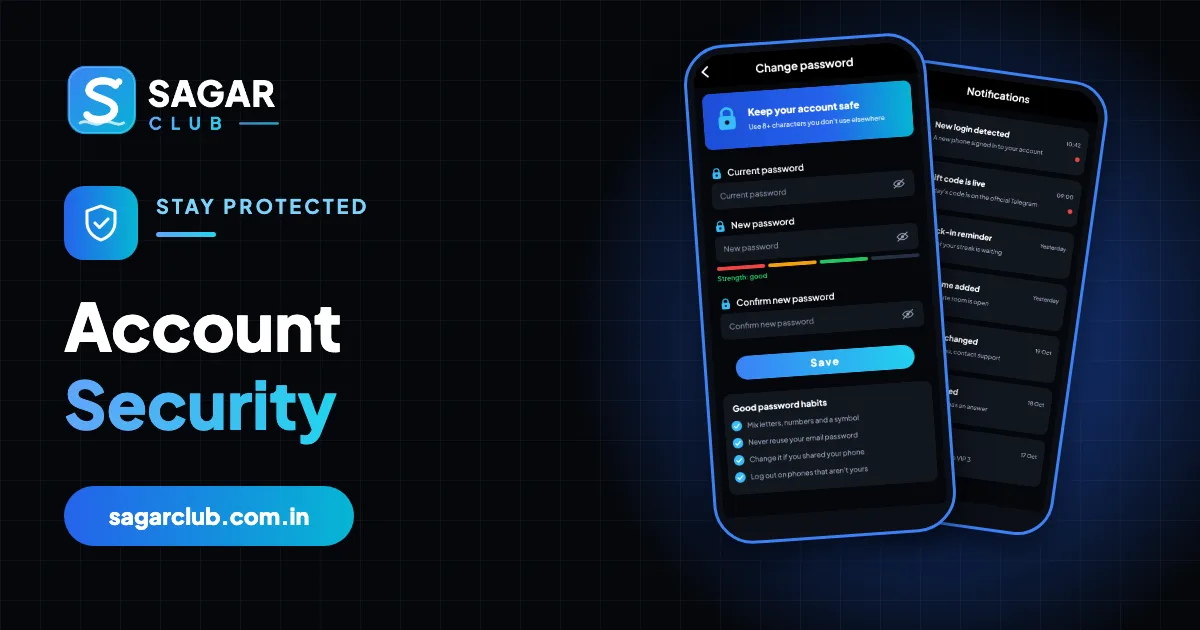
Account security sounds technical, but on Sagar Club it comes down to a few habits. Your password protects the login; your SIM protects the reset; your alerts tell you if something goes wrong. Attackers don’t usually ‘hack’ accounts – they trick people into handing over a code or typing a password on a copy of the login page.
This page explains how takeovers actually happen, the rules that stop them, a monthly security check, and a step-by-step plan if you think someone else got in.
Contents
- How takeovers actually happen
- The six rules
- Your SIM is part of your security
- Spotting scams
- Monthly security check (five minutes)
- If you think someone got in
- Security on shared and family devices
- Passwords, one more time
- A scam call, walked through
- The weak points, ranked
- Security for people who aren’t ‘techy’
- Teaching family members
- What Sagar Club does on its side
- FAQs
How takeovers actually happen
| Method | How it works |
|---|---|
| The OTP call | Someone posing as support asks you to read out a code ‘to verify’ your account. The code was a password reset. |
| The fake login page | A forwarded link opens a perfect copy of the login screen. Your password goes to them. |
| The reused password | A password leaked from another site is tried on Sagar Club. |
| The shared phone | A remembered login on a borrowed or family device. |
| The mod APK | A ‘hacked’ app that reads SMS or records your typing. |
The six rules
- Never share an OTP – with anyone, for any reason.
- Use a unique password – not used anywhere else.
- Only use the official app or a bookmark – never a forwarded link.
- Turn on login alerts – and act on them.
- Install only the official app – no ‘mod’, ‘pro’ or ‘hack’.
- Log out on any device that isn’t yours.
Your SIM is part of your security
Because reset codes go to your number, whoever controls your SIM can reset your password. Protect it: set a SIM PIN (Settings → Security → SIM lock), don’t lend your phone unlocked, and if your SIM suddenly stops working without explanation, call your operator straight away – SIM-swap fraud starts that way.
Spotting scams
“I’m from Sagar Club support, please share the code we sent”
Real support never asks for codes. Hang up.
“Log in through this link to claim your gift”
Gift codes are redeemed inside the app, not through links.
“Download the new version from this link”
Updates come from the in-app prompt or official site only.
“Pay a small fee to unlock your account”
Unlocking is never paid.
“Join our VIP prediction group”
Results can’t be predicted. It’s a scam every time.
Monthly security check (five minutes)
- Open login security in your profile – any unknown devices?
- Check your bound email is still yours and still works.
- Update the app.
- Check your bookmark still points to the official address.
- Review app permissions on Android – Internet and notifications only.
If you think someone got in
- Change your password now from your own device – this ends every other session.
- Check login security for devices you don’t recognise.
- Check your linked phone and bound email haven’t been changed.
- Contact support with your UID and what you noticed.
- Change any other account that used the same password.
- Think about how it happened – a shared code, a link, a reused password – and close that gap.
Security on shared and family devices
Families often share a phone or tablet. On shared devices: don’t tick ‘Remember password’, don’t save the password in the browser, log out every time, and prefer the website in a private tab. Use an app lock or a separate user profile so younger family members can’t open Sagar Club – it’s 18+.
Passwords, one more time
A good password is long, unique and memorable. Three unrelated words plus a number is enough. Store it in a password manager. Change it when there’s a reason – a suspicious alert, a shared device, a link you’re unsure about – rather than on a schedule. More: change password and 10 safety rules.
A scam call, walked through
Your phone rings. A polite voice says they’re from Sagar Club security: there’s been suspicious activity, and to protect your account they’ve sent you a verification code – could you read it out? Meanwhile, an SMS arrives with a 6-digit code. Everything about the call feels official. But the code in your hand is a password reset for your account, requested by the caller. Reading it out would hand them your account.
The correct response is to hang up. No genuine Sagar Club team member will ever ask for a code. If you’re worried, open the app yourself and check login security, or contact support through the in-app chat – never through a number or link the caller gives you.
The weak points, ranked
| Rank | Weak point | Consequence |
|---|---|---|
| 1 | Sharing an OTP | Attackers get a reset code |
| 2 | Typing your password on a fake page | Attackers get your password |
| 3 | Reusing a password | A leak elsewhere opens Sagar Club |
| 4 | Remembered logins on shared devices | Others can open your account |
| 5 | Fake APKs | Malware reads codes and taps for you |
Fix the top two and you’ve removed most of the risk.
Security for people who aren’t ‘techy’
You don’t need to understand encryption to keep a Sagar Club account safe. Three sentences are enough: I never tell anyone a code. I only open Sagar Club from the app or my bookmark. My Sagar Club password is used nowhere else. Say them to yourself whenever something feels urgent or unusual – urgency is the scammer’s main tool.
Teaching family members
If an older relative or a less experienced friend also uses Sagar Club, the most useful thing you can do is teach them the OTP rule and help them bind an email and switch on login alerts. Then show them how to check the address bar. Five minutes of help prevents most problems.
What Sagar Club does on its side
- SMS verification for registration and password resets.
- Temporary locks after repeated wrong passwords.
- Login alerts for new devices.
- Ending other sessions when you change your password.
- Security holds when activity looks unusual.
Those protections work best when your habits support them.
Open Sagar Club the right way
Use the official app or website – one Sagar Club account works for login on every device.
Frequently asked questions
Does Sagar Club have two-factor login?
SMS verification protects registration and resets; login alerts add warning for new devices.
Is it safe to save my password?
On your own locked phone, yes. On shared devices, no.
Someone asked for my OTP. What now?
Don’t share it. If you already did, change your password immediately.
Can a hacker change my results?
No. Results are generated on the server; the risk is to your account, not the games.
Should I use a password manager?
Yes – it removes reuse and typos.
Is a SIM PIN worth it?
Yes – it protects the SIM that receives your reset codes.