

Verification code fixes, in order
Sagar Club OTP Not Received
No SMS code from Sagar Club? Work down this list in order. Most problems are solved by step four.
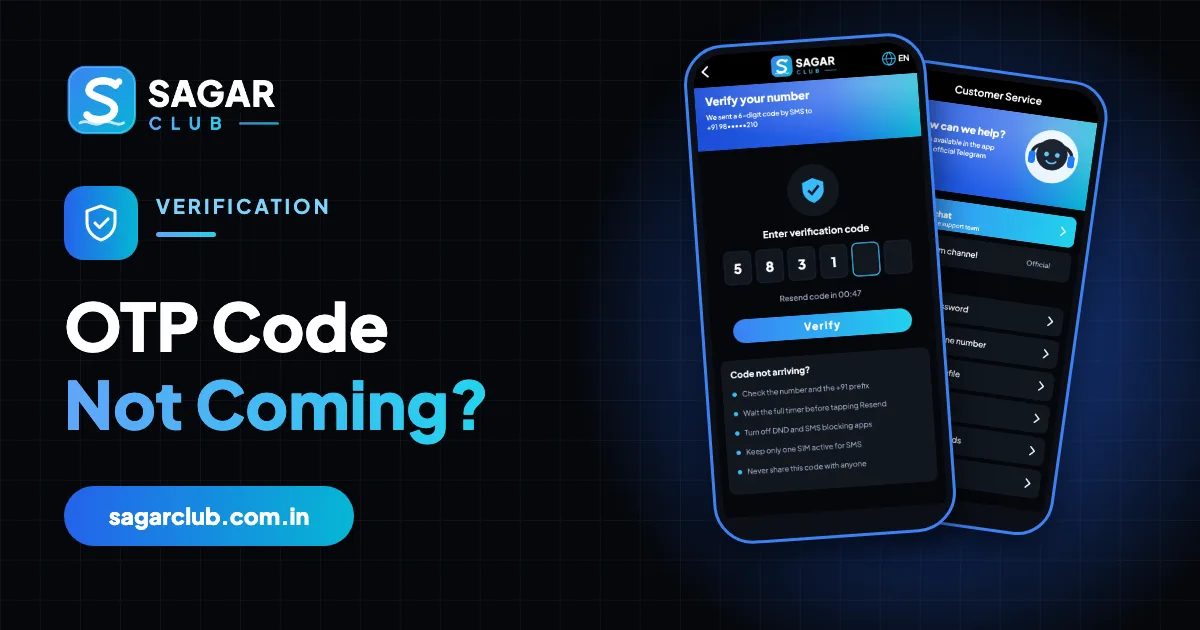
The Sagar Club OTP – a 6-digit one-time code sent by SMS – appears at two moments: when you register and when you reset your password. It’s how the app confirms you hold the SIM for that number. When it doesn’t arrive, the cause is almost always on the phone or network side, not the account.
This page goes from the most common cause to the rarest, then covers phone-brand settings and OTP safety. And one rule above all: never share this code with anyone.
Contents
- The ten fixes, in order
- Where hidden SMS go, by phone brand
- DND and your operator
- Dual-SIM phones
- Resend limits
- OTP safety – read this
- Codes that arrive but don’t work
- Still nothing?
- A slow code, solved step by step
- Why codes get delayed
- OTP do’s and don’ts
- Codes you didn’t ask for
- Travelling and roaming
- A checklist to keep
- FAQs
The ten fixes, in order
- Check the number. Exactly 10 digits, no 0 in front, no +91 typed manually. One wrong digit sends the code to a stranger.
- Wait for the timer. Pressing Resend early can cancel the first code.
- Look in spam / blocked messages. Many phones file short-code SMS there.
- Check DND. Full DND with your operator can delay service messages.
- Dual-SIM? Make sure SMS goes to the registered SIM.
- Signal. Step outside or near a window; airplane mode on and off.
- Restart the phone. Clears stuck network registration.
- Free up space. A full phone can fail to save new messages.
- Close SMS-blocking apps. Truecaller and similar can hide codes.
- Wait 30 minutes. After several requests, a temporary limit applies.
Where hidden SMS go, by phone brand
| Phone | Check here |
|---|---|
| Xiaomi / Redmi / POCO | Security app → Blocklist → Blocked messages |
| Samsung | Messages → ⋮ → Settings → Block numbers and spam |
| Vivo / iQOO | Messages → Harassment intercept |
| OPPO / Realme / OnePlus | Messages → Spam / Blocked |
| Google Messages | Menu → Spam & blocked |
| iPhone | Messages → Filters → Unknown Senders / Junk |
DND and your operator
India’s DND system lets you block promotional messages. Partial DND (promotions blocked, service allowed) normally lets OTPs through. Fully blocking all categories can delay or stop them. You can change your preferences through your operator’s app or by sending a message to 1909. After changing, wait a few minutes before requesting a new code.
Dual-SIM phones
On dual-SIM phones, the code is sent to the SIM you registered with – but if that SIM is disabled, has no signal, or the phone’s default SMS slot is the other SIM, things get confusing. Go to Settings → SIM cards (or Mobile network) and make sure the registered SIM is switched on and has signal. The code arrives on that SIM’s message thread.
Resend limits
To protect numbers from abuse, the app limits how many codes can be requested in a short time. If you’ve tapped Resend several times, you may see ‘too many requests’ or simply get nothing. Stop, wait about 30 minutes, then request once and wait for the full timer.
OTP safety – read this
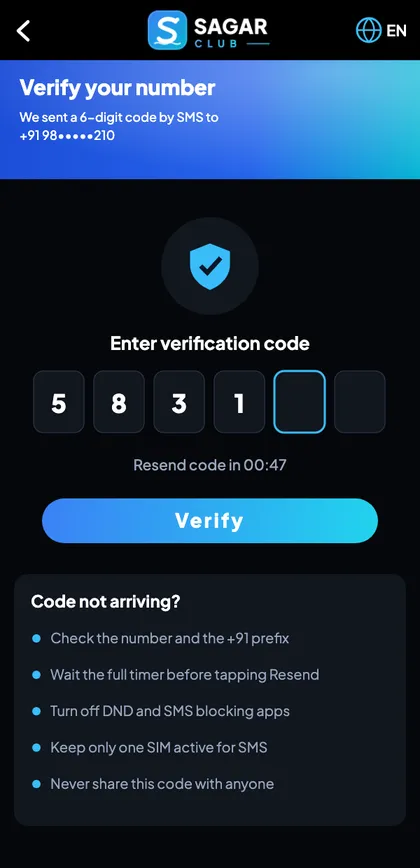
Sagar Club staff will never ask for your OTP by phone, WhatsApp, Telegram or any other way. Anyone who asks is trying to take over your account.
If you received a code you didn’t request, someone may be trying your number on the reset screen. They can’t do anything without the code itself – so don’t share it, and consider changing your password as a precaution.
More in account security.
Codes that arrive but don’t work
You typed an older code
Only the newest code works. Use the latest message.
Code expired
Codes last a few minutes. Request a fresh one and type it straight away.
Autofill pasted the wrong code
Type it manually.
Switched screens
If you left the screen, start again and request a new code.
Still nothing?
Contact customer support with your number (last four digits are enough to start), the time you requested the code and your phone model. Don’t keep requesting codes while you wait.
A slow code, solved step by step
You’ve tapped Register, and the screen says a code was sent – but nothing arrives. You resist the urge to tap Resend. You read the number on the screen and spot it: you typed 98765 43210 with a space in the middle, and the app trimmed it differently. You go back, retype the ten digits carefully, request again, and the code arrives in seconds.
Another day, the number is right, but still nothing. You open Messages and check the spam folder – there it is, filed as ‘unknown sender’. You mark it as not spam so future codes land in your inbox.
Why codes get delayed
SMS codes travel from the app’s messaging provider through your mobile operator to your phone. Delays can happen anywhere along that path – a busy moment right after an announcement, a congested cell tower, an operator filter treating the message as promotional, or your phone’s own spam protection. Most of these clear within a minute or two, which is why waiting for the full timer is so important: pressing Resend early simply adds another message to the queue and can cancel the first.
OTP do’s and don’ts
Do
- Check the number before requesting.
- Wait for the full timer.
- Look in spam and blocked folders.
- Use only the newest code.
- Type it straight away.
Don’t
- Press Resend repeatedly.
- Share the code with anyone.
- Type it on a page you reached from a link.
- Request codes for numbers that aren’t yours.
- Use an old code.
Codes you didn’t ask for
Getting a Sagar Club code you didn’t request means someone typed your number into the register or reset screen – by mistake or on purpose. They can’t do anything without the code itself. Ignore it, don’t share it, and if it happens repeatedly, change your password and tell support.
Travelling and roaming
If you’re outside India with your Indian SIM on roaming, codes usually arrive, but international SMS routes can add delays of several minutes. Wait longer before resending. Wi-Fi calling doesn’t affect SMS delivery; your SIM needs a roaming signal.
A checklist to keep
- Number: 10 digits, no 0, no +91.
- Timer: wait it out.
- Spam / blocked folder: checked.
- DND: service messages allowed.
- Right SIM: active, with signal.
- Newest code only.
- Never shared.
Open Sagar Club the right way
Use the official app or website – one Sagar Club account works for login on every device.
Frequently asked questions
How long is the Sagar Club OTP valid?
A few minutes.
Can I get the OTP by email?
The standard flow uses SMS.
Why do I get an OTP I didn’t request?
Someone may be trying your number. Never share it.
Does login need an OTP?
No – only register and password reset.
How long should I wait after too many requests?
About 30 minutes.
Why does the code go to spam?
Phones sometimes treat short-code senders as unknown. Mark it as not spam.
Can someone use my code?
Only if you share it – never do.