
The Android install file, explained
Sagar Club APK
The Sagar Club APK is the file that installs the app on Android. Get the real one, install it safely and never fall for a fake.
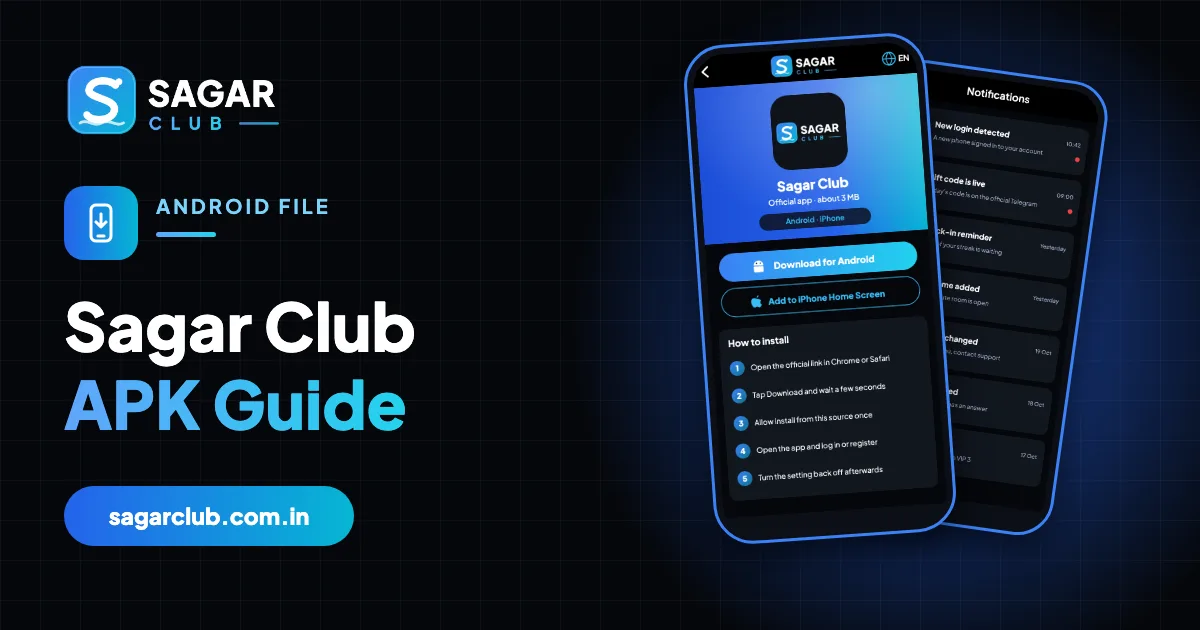
Because Sagar Club isn’t listed on the Google Play Store, Android phones install it from an APK – the standard Android installer file. There’s nothing unusual about that: plenty of legitimate apps are distributed this way. But it does shift one responsibility onto you. On the Play Store, Google decides which file you get. Outside it, you decide – and fake APKs are the single most common way people lose their accounts.
This page explains what an APK is, how to recognise the real Sagar Club file, the safest way to install it, the permissions it should and shouldn’t ask for, and how to clean up if you ever installed the wrong thing. For the quick install steps, see Sagar Club app download.
Contents
- What an APK actually is
- The real APK vs a fake one
- How to install the Sagar Club APK safely
- Understanding the warnings you’ll see
- Permissions, one by one
- Updating the APK
- Cleaning up after a fake APK
- APK on tablets, TV boxes and emulators
- Common myths about APKs
- A careful install, start to finish
- FAQs
What an APK actually is
APK stands for Android Package. It’s a single file containing everything an app needs – its code, images and a manifest listing the permissions it wants. When you tap an APK, Android reads that manifest, shows you what the app is asking for, and installs it. The Play Store does exactly the same thing behind the scenes; you just never see the file.
The important part is the signature. Every APK is signed by its developer, and Android remembers that signature. An update will only install over an existing app if it’s signed by the same developer. That’s why a fake ‘update’ from a different source often fails with ‘App not installed’ – and why that error is sometimes a useful warning.
| File type | .apk (Android Package) |
| Typical size | About 3 MB |
| Official source | The official Sagar Club website (or a link posted in the official Telegram channel) |
| Installs on | Android phones and tablets |
| Not for | iPhone or iPad – they use Safari’s Add to Home Screen |
| Cost | Free |
The real APK vs a fake one
| Check | Real | Fake |
|---|---|---|
| Where you got it | Official website / official channel | WhatsApp forward, YouTube description, ‘APK mirror’ site |
| File name | Sagar Club | Sagar Club Pro, Mod, Hack, VIP, Unlimited |
| Size | About 3 MB | Often 20–80 MB (bundled extras) |
| Permissions | Internet, notifications | SMS, contacts, call logs, accessibility, overlay |
| After install | Normal login screen | Asks for OTP, payment or another app |
| Promises | None | Predictions, unlimited rewards, ‘hacked’ results |
If an APK asks for SMS or Accessibility permission, cancel the install. SMS access lets it read your OTPs; Accessibility lets it tap buttons on your behalf. Neither is needed by the real Sagar Club app.
How to install the Sagar Club APK safely
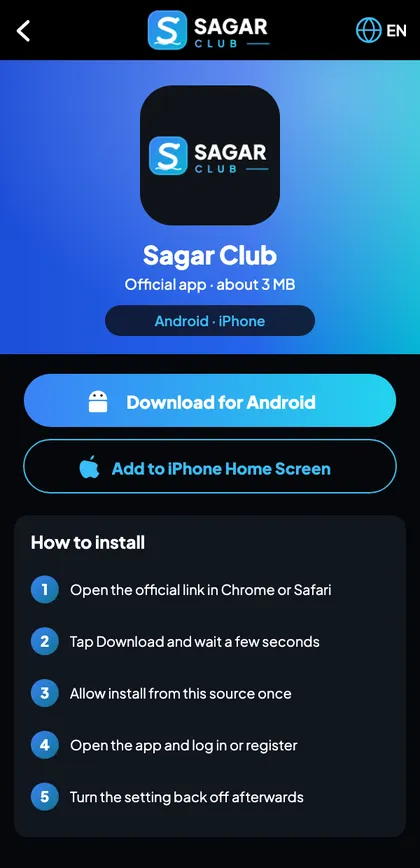
- Open the official Sagar Club website in Chrome – type it or use your bookmark.
- Tap Download for Android.
- When Chrome warns about the file type, check the address bar once more, then tap Download anyway.
- Open the file from the download notification.
- Allow Install unknown apps for Chrome when asked.
- Review the permissions screen – Internet and notifications only.
- Tap Install, then Open.
- Switch Install unknown apps for Chrome back off.
- Delete the APK from your Downloads folder.
Those last two steps are the ones most people skip. Leaving installs enabled lets any website try to push an APK through Chrome; leaving old installers lying around makes it easy to reinstall an out-of-date version by mistake.
Understanding the warnings you’ll see
“This type of file can harm your device”
Chrome shows this for every APK, from any site. It’s not specific to Sagar Club. It’s asking you to confirm you trust the source – so only continue if you’re on the official site.
“For your security, your phone is not allowed to install unknown apps from this source”
Android blocks installs from Chrome by default. Tap Settings, allow it for Chrome only, and come back. Remember to switch it off afterwards.
“Blocked by Play Protect” / “Unsafe app blocked”
Play Protect scans every app, including ones outside the Play Store, and may warn about apps it hasn’t seen widely. Tap More details → Install anyway only for the file you downloaded from the official site. If the warning names specific harmful behaviour (for example ‘this app can read your messages’), stop – that’s not the real app.
“App not installed” / “Package conflicts with an existing package”
Another Sagar Club app is already installed and was signed differently – either an older official build or a fake. Uninstall the existing one, then install the official file. If you weren’t expecting another copy, change your password after reinstalling.
“There was a problem parsing the package”
The download didn’t finish or the file is corrupted. Delete it and download again on a stable connection.
Permissions, one by one
| Permission | Purpose | Verdict |
|---|---|---|
| Internet | Load the lobby and games | Required |
| Post notifications | Login alerts, gift-code reminders | Recommended |
| Vibrate / wake lock | Notification behaviour | Harmless |
| Storage | Not needed on modern Android | Deny if asked |
| Camera / microphone | Not needed | Deny |
| Location | Not needed | Deny |
| SMS / call logs / contacts | Never needed | Cancel install |
| Accessibility / display over other apps | Never needed | Cancel install |
You can review permissions at any time: Settings → Apps → Sagar Club → Permissions. If you ever see something on the ‘never needed’ list granted, uninstall the app, reinstall from the official site and change your password.
Updating the APK
When a new version is released, the app shows an update prompt. Tap it and Android installs the new APK over the old one – your login and data stay put. If there’s no prompt but you suspect you’re out of date, download the latest APK from the official site and install it over the existing app. Because both are signed by the same developer, Android accepts it without uninstalling.
Never ‘update’ from a link in a forward or a video, even if it says ‘new version’. That’s the classic route for fake APKs.
Cleaning up after a fake APK
- Uninstall the suspicious app: Settings → Apps → find it → Uninstall.
- Check Settings → Security/Privacy → Device admin apps and Accessibility – remove anything you don’t recognise.
- Run Play Protect: Play Store → profile → Play Protect → Scan.
- Install the official Sagar Club app and change your password.
- Change any other password that was the same.
- Watch login alerts for a few days.
APK on tablets, TV boxes and emulators
Android tablets install the APK exactly like phones and work well in portrait mode. Android TV boxes may install it but aren’t designed for touch screens, so the experience is awkward. PC emulators are not recommended – they’re a common source of malware bundles, and the website in a normal browser is simpler and safer. See Sagar Club login on PC.
Common myths about APKs
| Myth | Reality |
|---|---|
| ‘APKs are always dangerous’ | No – the source matters, not the format |
| ‘A bigger APK has more features’ | Usually it has more junk |
| ‘Mod APKs give better results’ | Results are generated on the server; a modified app can’t change them |
| ‘You must root your phone’ | Never – the real APK installs on a normal phone |
A careful install, start to finish
Let’s walk through one install the way a careful player would do it. You’re on your own Android phone, connected to home Wi-Fi. You open Chrome and type the official address from memory (or open your bookmark). You check the address bar letter by letter before tapping anything. You tap Download for Android; Chrome warns that the file can harm your device – the standard warning for every APK – and because you’ve already checked the address, you tap Download anyway.
The download finishes in a couple of seconds. You tap the notification. Android says Chrome isn’t allowed to install apps; you tap Settings, allow it, and go back. The permissions screen lists internet access and notifications – nothing else – so you tap Install. Play Protect scans briefly. You tap Open and log in. Then you go back to Settings and switch Chrome’s install permission off, open your Downloads folder and delete the APK. Total: about three minutes, and nothing left open behind you.
Open Sagar Club the right way
Use the official app or website – one Sagar Club account works for login on every device.
Frequently asked questions
Is the Sagar Club APK safe?
The file from the official website is. Copies from other sources may not be.
How big is the Sagar Club APK?
About 3 MB.
Why isn’t Sagar Club on the Play Store?
It’s distributed directly from its website, as many apps of this type are.
Do I need to uninstall before updating?
No – install the new APK over the old one.
Can a mod APK change game results?
No. Results come from the server; mods only put your account at risk.
Can I install the APK on iPhone?
No – iPhone uses Safari’s Add to Home Screen.
What if Play Protect blocks it?
Only continue for the official file; cancel if the warning mentions reading messages or similar.
Should I keep the APK file?
No – delete it after installing.