

Limited-time pages
Sagar Club Events
The Events tab collects check-in, gift codes and limited-time events. Here’s how to find them, read their rules and avoid fake ‘event’ links.
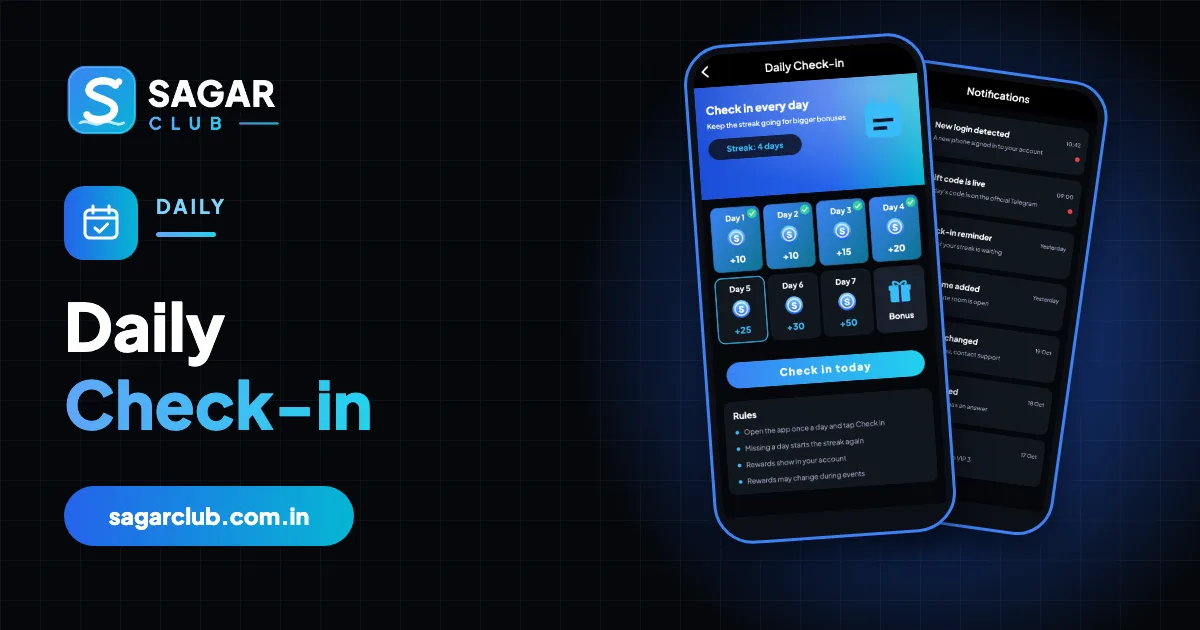
Sagar Club runs occasional events – limited-time pages with their own rules, often linked to launches, festivals or new games. They live in the Events tab and are announced in the banner, the notice line and on the official Telegram.
Every event has a rules page. Reading it is the difference between enjoying an event and being confused by it.
Contents
- Where to find events
- Reading an event
- Event scams
- Events and your time
- Types of events you may see
- Reading event rules carefully
- Event timing
- Events and urgency
- Event scams
- Where events are announced
- Real questions about events
- A sensible approach to events
- Event mistakes and better habits
- Events on the official channel
- FAQs
Where to find events
| Place | What’s there |
|---|---|
| Events tab | All current events |
| Lobby banner | Highlights of new events |
| Notice line | Start and end times |
| Official Telegram | Announcements |
Reading an event
- Open the event from the Events tab.
- Read the start and end time (India time).
- Read the rules – who can join, what counts, any limits.
- Check whether you need to do anything to join.
- Note when results or rewards are shown.
Event scams
Real events live inside the app. A link outside the app asking you to log in, pay or share an OTP ‘to join an event’ is fake.
Events and your time
Events add urgency on purpose – countdowns, limited places. If an event makes you feel you must play more than you planned, skip it. There’s always another one.
Types of events you may see
| Type | What it is |
|---|---|
| Launch events | Around new games or app updates |
| Festival events | Seasonal pages around holidays |
| Check-in events | Special streak rewards for a period |
| Challenge pages | Simple goals with a deadline |
The exact events change over time. Always read each event’s own page.
Reading event rules carefully
Event rules usually cover who can join, the start and end times (in India time), what counts towards the event, any limits per account, and when results or rewards are shown. If anything is unclear, ask support before joining rather than after.
Event timing
Events use India Standard Time. If you’re elsewhere, convert carefully – an event that ends at midnight IST may end mid-afternoon or early morning where you are.
Events and urgency
Countdown timers and ‘last chance’ banners are designed to make you act quickly. That’s exactly when to slow down. Ask yourself whether you’d have played today without the event. If not, skip it.
Event scams
‘Join the event through this link’
Events live inside the app – no outside link is needed.
‘Pay to enter the event’
Treat with extreme caution and check with support.
‘Send your OTP to claim’
Always a scam.
Where events are announced
- The lobby banner.
- The notice line.
- The Events tab.
- The official Telegram channel.
Real questions about events
“The event ended before I finished.”
Events use India time; check the end time on the event page next time.
“Where did an event go?”
Ended events are removed from the Events tab.
“Is every event for every account?”
Some events have eligibility rules – check the event’s page.
“Can support extend an event for me?”
Usually not; event times are fixed.
A sensible approach to events
Treat events as optional extras. Read the rules, check the times, and join only if it fits the session you’d planned anyway. If an event changes your plans – staying up late, playing longer – skip it.
Event mistakes and better habits
| Mistake | Better habit |
|---|---|
| Skipping the rules | Read them before joining |
| Missing the deadline | Note the end time in India time |
| Following outside event links | Events live inside the app |
| Changing plans for an event | Skip it if it doesn’t fit |
Events on the official channel
New events are often announced on the official Telegram channel first. If you follow it, mute night-time notifications so announcements don’t pull you into the app at odd hours.
Open Sagar Club the right way
Use the official app or website – one Sagar Club account works for login on every device.
Frequently asked questions
Where are Sagar Club events?
In the Events tab.
What time zone do events use?
India time.
Do I need a link to join an event?
No – events are inside the app.